I feel like this applies to desktop as well. The idea of not hiding options is appealing. I wonder where along the way we (collectively) stopped putting radios out there — it's probably in the interest of keeping UIs "clean" and concise. But concise is a function of the actual design of fields and we need to fight for easier controls and fewer options, not a visually appealing mess.
This feels like a step in the right direction. One of the arguments that persists despite Photoshop adding tons of new and relevant screen design features in recent months is that the old granddaddy does too many things. It had great features for photographers and retouchers, great features for graphic designers, great features for UI designers, and all that adds up to "too many features." No one person is likely to use everything that Photoshop offers anymore. So we're left with feature weight, function weight, and interface weight, while upstarts like Sketch barrel in with a limited toolset and huge efficiency of performance and UI. Design Spaces appear to directly acknowledge and address this problem.
Vinh is wrong about one thing though:
What strikes me about this situation is how remarkable it is that it exists at all; the Adobe of a decade ago seemed to have little or no interest in what was important to web and interface designers.
The Adobe of a decade ago was still putting resources into Fireworks, the wellspring of all these screen design tools. So if the streamlined interface of the screen Design Space owes a lot to Sketch, it's good to remember that Sketch didn't completely come out of nowhere either.
UI copy gets the shaft so often, not just in terms of the attention it receives but also the way it's written.
You write code iteratively, so why not the rest of it? It’s okay if your interface writing isn’t perfect. But you better believe that you need to go back and clean up those strings before you go live.
This is really important. Every project I've ever been a part of forgot the "we can improve later" mindset of Agile to some degree when faced with the prospect of launching with imperfect interface copy.
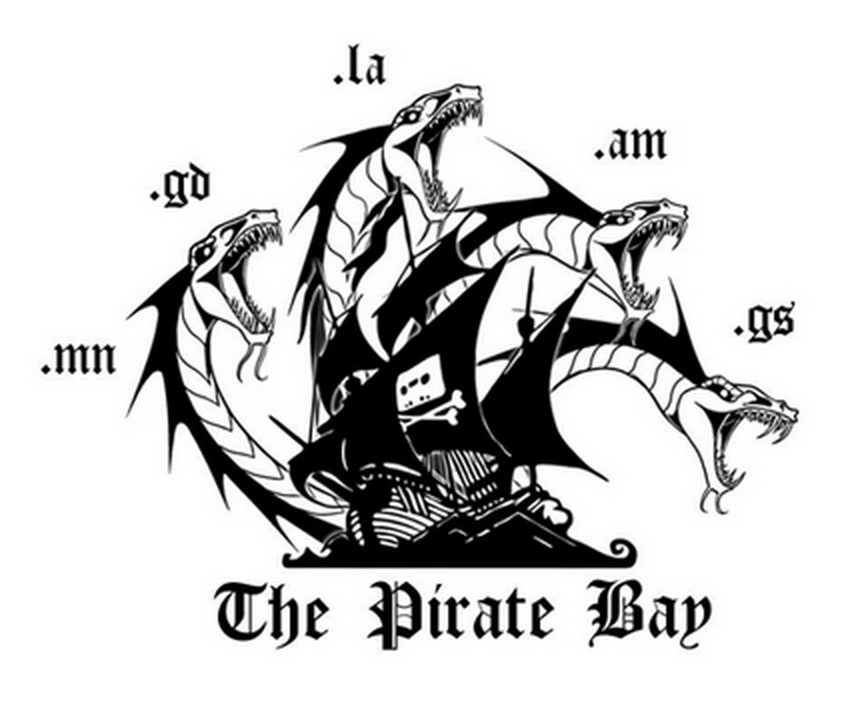
This is pretty awesome, regardless of your opinion of TPB. If you see them as sort of punk rock establishment fighters, you're bound to love the visual middle finger. If you think they're villains, well at least they're suitably entertaining ones.
wrote this for our corporate blog. Rather than give everyone I know instructions for connecting to our VPN, I thought I'd reproduce it here. The gist is: as we go through a lot of change both process-wise and philosophically, we need to make sure nobody gets too attached to one way of thinking and gets left behind.
Since its inception, the Web has undergone constant evolution. But along the way, it’s also gone through some major revolutions that left it forever changed — and left some people behind.
Purty Pitchers
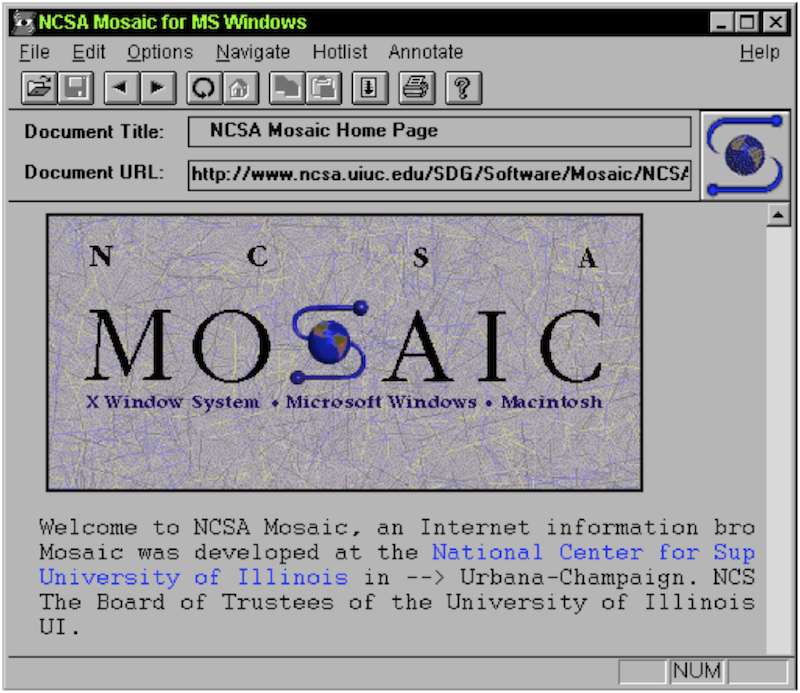
The first earth-shattering change was the NCSA Mosaic browser. Why? One word: graphics. Color graphics! You wouldn’t think this would bother anyone: sure, they took a long time to load and were really awful quality purplish GIFs for a long time, but being able to navigate around a web page with your mouse and scrollbar really opened up the web to a lot of people who would never have touched the green-on-black terminal browser Lynx.
NCSA Mosaic
Still, there were casualties: the early denizens of the internet, the super tech-savvy terminal jockeys and ASCII artists who preferred the music of a ker-chunking IBM Model M keyboard to the click of a mouse saw their little private utopia being taken away. In a way, I can sympathize. They were probably worried it’d be filled with n00bs, dads and ads eventually.
But the lesson is there. Adapt or get left behind.
The Blue Beanie
Most of these revolutions have happened during my career. The rise and fall of Flash, the advent of YouTube, blogging… it’s been a fun ride so far.
But from a designer/developer standpoint, something that in hindsight might’ve had the biggest effect was the Web Standards movement. As late as the mid–2000s, we’d been designing pages based on some anonymous genius’s realization that HTML tables and weirdly sliced images could be used to create print-like layouts on web pages. Thus the business of “web design.” But this was a hack, and it helped us grow an appetite for hacks. Meanwhile, Netscape and Microsoft were vying for supremacy in the browser market by adding more and more amazing but completely incompatible features. So we essentially had to build sites twice.
But then Jeffrey Zeldman came along and told us all to try something: first off, stop using tables, because we’re hacking a useful feature of the browser to do something awful it wasn’t meant to do, and second, stop using these browsers’ non-standard features. Start using CSS. Thus the Web Standards Project (and what has come to be called the web standards movement) was born. And this movement effectively ended those dreaded Browser Wars.
Trust me, we’re all better for it. But for a while, there were a lot of designers and developers who didn’t want to abandon their fancy browser features, and didn’t want to stop using tables because they worked! Those people adapted. Or they became irrelevant once the browser makers got on board with the Standards crowd.
Responding to Change
The arrival of web applications was not about just one thing. Faster broadband, AJAX, browsers able to run complex Javascript, web fonts, SVG, and all kinds of other stuff made the web the new platform for software. It’s still getting better. And our desktop computers aren’t the only devices with these front-end capabilities anymore. If I can get my software over the web, and my phone has a really good web browser, I should be able to run the software on my phone, right?
Ethan Marcotte first coined the term “Responsive Web Design” four years ago on A List Apart, and the design world has been pretty… responsive to it. Rather than the conversations I used to have ten years ago over whether we’re going to finally support 1024x768 screens, applications can now resize, reflow, and customize for different screens and devices. It’s a huge change in a way of thinking, but it’s also one more way that web applications are now more like “real” applications: do Microsoft Word or Adobe Photoshop force me into a highly controlled layout that only works at a certain window size?
But like the ASCII art and table layouts, there are going to be some casualties in the new way. I think the concept of “pixel perfection” is one of those. If my application changes from screen to screen and situation to situation, I can’t ever know exactly what it’s going to look like to any particular customer.
And that’s fine.
There’s still room for all the careful and highly thought out work that we’ve always done when crafting web pages and web applications. In fact, our job is more important than ever because there’s no way a print layout designer can ever do what we do: deliver what our customers need, on whatever device they need it. And we don’t have any intention of being left behind.
I'm sure that you've heard, at some point, some wizened sage say a thing about how limitations are helpful when it comes to creative endeavors.
Probably it was someone like Frank Zappa who didn't practice what they preached, but this isn't just "good for you" advice; it can be fun.
What simplification means in a creative sense can be up to you: it could mean limited tools, a smaller palette, a shortened time frame, or really impractical and artificial constraints meant to "get the juices flowing" (e.g., I'm only going to use MS Paint or build a song with presets from early 90s synths). But as an exercise, it's one thing; adopting simplicity as a way of working is a freeing experience.
After a some great frustration playing in a large band with intricate arrangments, I decided to simplify my musical existence by going back to a one-man show for a while. But that tends to be a rabbit hole for me. I love choices and hate limitations. I don't necessarily feel like I need to use my whole toolkit in every project, but I want to know I can start anywhere. The problem often is in starting, though. A limited palette can make that easy.
So I've created a much smaller subset of tools: two sampled analog drum kits, a Volca Keys, a '73 Roland SH-1000, a Reaktor-based Minimoog emulator, and a MeeBlip SE. It's a kind of weird hybrid of real and simulated analog, and it's all really cheap. It also feels like a pretty wide sonic palette right off the bat, but I do need some kind of variety because I tend to write synth lines based on the qualities of a particular sound. The Minimoog has enough variety to spark something unique, but picking from two drum kits means I'm laying down a beat in 5 minutes instead of auditioning sounds and building kits for 40.
Over the weekend I wrote a complete song during the baby's nap time. A couple hours and everything was done. Beat, bass, lead line, effects, tricks, vocals. Done.
A nice side effect
Something that I discovered from going limited is that simplicity isn't the only benefit — the inability to achieve perfection has opened my mind quite a bit. I've kept the SH-1000 out of my sets for anything other than some noisy filter effects because it's monophonic, hard to play, hard to keep in tune, and doesn't have MIDI or the ability to save sounds. With Ableton, I don't need MIDI or patches: as long as I can adequately play a loop one or two times through, I have a bass or lead line recorded as audio. The key here is adequate. It's not going to be perfectly synced, and even if I played it perfectly it wouldn't necessarily register with the 40-year-old raggedy-ass keys and the tuning would still be wonky. The Volca's similar: it can be synced to MIDI, but it can't save sounds either and the tuning tends toward unpredictability.
So this stuff means my music isn't perfect. But it's also got some character as a result. Aside from how you feel about tweaking sounds or cutting loops precisely, whether these things improve your music, there's one thing you can't argue with: I finished something. Quite a few somethings.
There's a saying that "good is the enemy of great." That's true, and you should always keep your standards high and your goals lofty — but remember also that perfect is the enemy of done.
I often wonder what the intersection of my two primary interests — UX and music — might be. Unfortunately, it usually seems like the main manifestation of this is in the obsessive tweaking of processes and tools.
It's probably natural for UX designers of a certain experience level to engage in service design thinking. You eventually start to think about the holistic world rather than just the point where a customer touches a software interface. But then again, it could very well be that the obsessive desire to have the perfect experience yourself is the driver of that kind of thinking. It's a chicken and egg situation, but whichever came first with me, my point is this: I'm constantly editing my tool chain.
The answer may very well be in simplicity (more on that at another time), and it definitely lies in compromise. I'm just not sure there's a really perfect process. Transparent tools that don't make you think are pretty much the ideal for creatives — for instance, in a live situation, tools that keep you from touching the laptop trackpad. That's why I bought an Akai APC40 controller for Ableton on Craigslist, but of course I still have to open new files, and that's a source of inaccuracy and anxiety onstage. So I've been trying to crack that nut. The quest continues. And in the meantime, I use the hardware equivalent of a polyfill, something that a layman might call "a trackball on stage."
Same in the studio. My best purchase of the past year was not a plugin or piece of hardware but a set of $10 keyboard shortcut stickers for Pro Tools. It eased my learning and enabled me to work much faster, especially in the editing stage of a mix. The up-front setup (about an hour peeling and sticking these little nightmare labels), analogous to say, setting up a new project management software, made every subsequent day a little easier. Until I ruined the keyboard with a beer spill. Don't drink and mix, kids.
Same with design. I've been playing with Sketch and ended up buying it because of the insane speed it offered me in a few key areas after just a short learning curve. The paradigm shift is just different enough that it mirrors Ableton: a program that is indeed a DAW and has mixer sliders but requires a completely different thought process from the old-school Pro Tools/Cubase mentality. Sketch is definitely a design tool, but it's been honed and trimmed back to incorporate only the elements you need for the particular type of design you're doing; in this case, it's screen design. But... there are holes. It doesn't do bitmaps at all, I mean at all, even compared to Illustrator. so I lose the valuable hybrid "don't think about the vector/bitmap divide" approach of the otherwise-clunky Fireworks. Which means that again, my process is incomplete and I have to fill in the gaps with workarounds and additional tools.
So what's the answer? I don't think there is one. If I rewrote this post next year, I'd be talking about different tools but it'd look remarkably similar. At some point you have to settle for "good enough it's not in my way," but it's still worths striving for the zen happy place of "perfection."